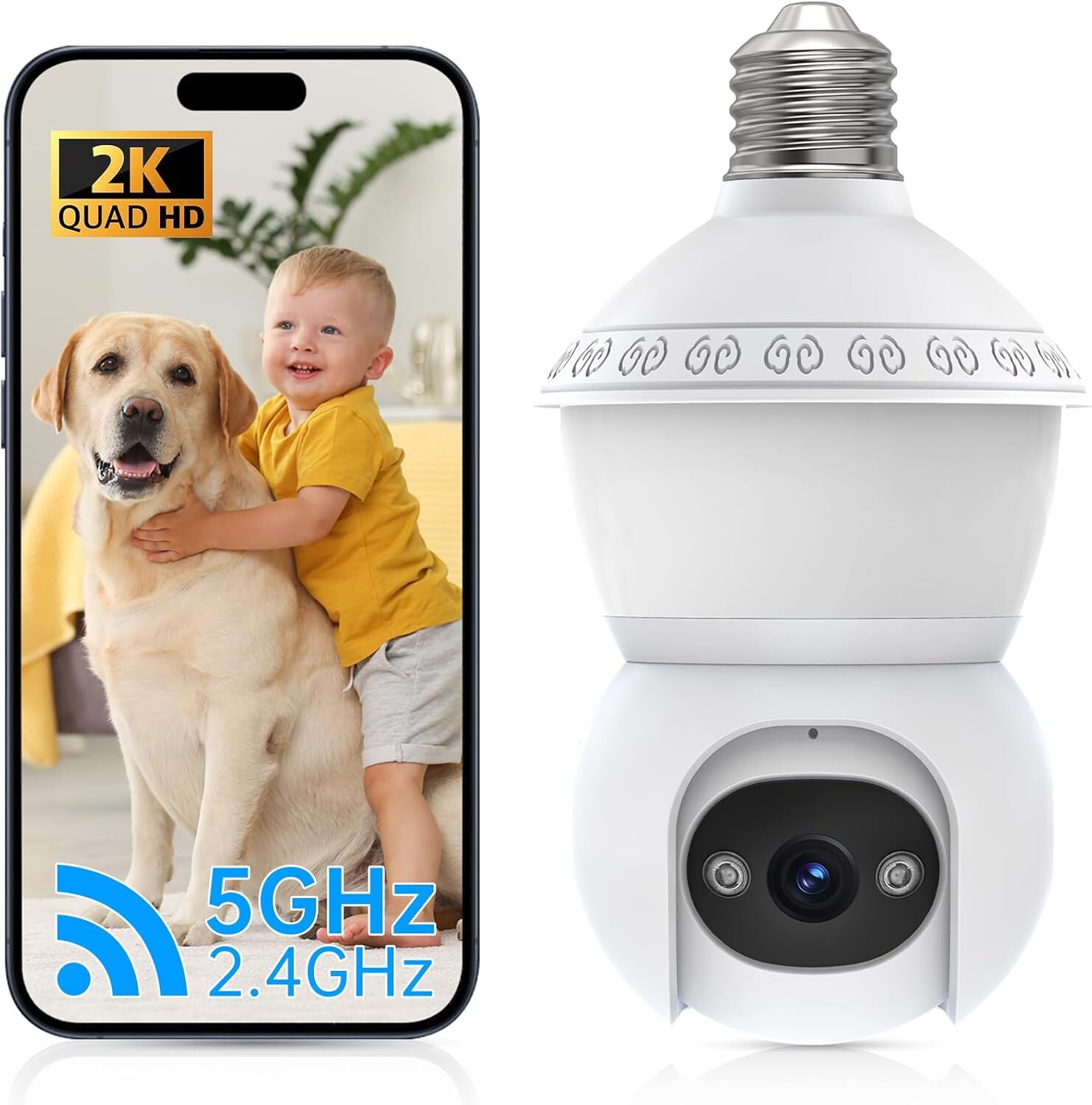
2MP IP E27 Light Bulb Camera 1080P Wi-Fi IR Night Smart Home Wireless
SecurityUSD $11.04
Condition : New
Free Shipping

Notify me when the price drops
We will email you if we find a lower price on this product!
Reminder:
1.This package does not include a TF card.It is recommended to buy a TF card for viewing and playback.If you pay to use the APP, it is not cost-effective and you need to continue to pay before you can continue to watch the replays.
2.QAQ:Why can't I add a camera via wifi connection?
1. Before adding, please make sure the camera is turned on and wait for the network connection status. If not, please press and hold the reset button until the voice prompt for restoring factory settings is issued, and then try adding again.
2.If your router is 5G, it may not be able to connect due to network reasons. Please try to turn on the dual-band mode of the router and select the 2.4G signal.
Feature:
【Motion Detection 】Support to capture moving objects and automatically trigger recording of 10S short video.Push APP alarm information in realtime.
【Two-way voice 】support voice function while watching videos online. Also available online two-way conversation.
【 24/7 monitoring 】 Built-in IRCUT device, coupled with photosensitive components, to achieve 24/7 HD video viewing.
【Two Storage Way】TF Card & Cloud Storage (TF card is not included and cloud service needs to pay extra) Supports up to 128GB TF card expansion.
【 1080P HD and 2 MP Infrared Night Vision】 Wireless WiFi home security camera provides smooth live video. Whatever day or night time, it give you colorful images
【Device sharing 】You can share the device bound to your account to family and friends for common use. Can be revoked at any time share, you are an administrator
【 What to do if the device is offline and cannot be played?】 According to the status of the indicator, self-test can be completed:(Tips: Indicating lights have two types: red &blue and yellow&green. the color of red and yellow stands for the power indicating lights, the color of blue and green stands for the net indicating lights.)For models without indicator lights, please listen to the beep to configure
Specification:
Main IC:T20
Image Sensor:1/4.5-inch cmos sensor
Display Resolution:1080P
Mini. Illumination:2 Lux (with infrared led on)
Focal Length:4mm
Viewing Angle(D/H/V):60°/50°/30°
LED Dual light sources:4 white lights, 4 850nm LED infrared distance up to 7 meters
Day night mode:IR cut filter with auto switch
Image Compression:H.264
Mirrow flip:Support
View mode:HD & SD
Audio:Built-in Mic & Speaker
Supported protocols:TCP/IP, RTSP, DHCP,NTP,ONVIF,UDP/IP,HTTP
Dynamic DNS:Support
Stream:Dual Stream
wireless:IEEE802.11b/g/n 150Mbps
Frequency:2.4G
Antennas:built-in
Antenna gain:3dB
Wireless Security:64/128-bit WEP, WPA/WPA2,WPA-PSK/WPA2-PSK
Range Horizontal: 355 degree
Vertical: 100 degree
Remote management:Yes APP remote
Multiple user management:Support (in app)
Split screen view: Support (in app)
Mobile app:IOS & Android
Motion detection:Support
Notification method:Mobile Push
Remote Access: P2P
LED indicator Light: red,blue
Storage:Max support 128GB TF card (Not Included)
Cloud: Support cloud storage (needs to pay extra )
Certifications: CE,FCC
Alexa:Support
Google Home"Support
Bare metal weight(g): 186g
Bare metal size: 70*70*152mm
Bare package weight (g): 260g
Bare metal package size: 74*74*192mm
Maximum power consumption: 3.5W
Power parameters: AC 110-220V, built-in power board
Working Temperature: -10°C ~ 50°C
Working Humidity: 20% ~ 95% non-condensing
Notice:
Preparations:Check whether the wireless router is in normal use, and then connect the mobile phone to the WiFi network. If it is a dual-band router, please connect to a 2.4G WiFi network.
Download and Install:
1. Go to the App Store or Google Play to search and download "AJCloud" APP to your supported devices.Or please scan below QR code to download"AJCloud" to your Android or Apple device.
2. Open the "AJCloud" APP and register an account using your
email.
Tips: Your password must be 8-16 characters, and at
least contain the following three categories: numbers,
uppercase letters, lowercase letters, special characters
3.Wireless access method:
The device is placed from a position close to the router.
If the wireless network connection fails, please follow the APP
guide to re-configure the network.
Precautions
1.The use of unauthorized or incompatible power supply may cause fire, explosion, or other hazards.
2.This product is not a toy, children should use the product under adult supervision.
3.Please use this product within the temperature range of -10° C~ 50°C. When the ambient temperature is too high or too low, it may cause product failure.
4.Do not use this product in thunderstorm weather. Thunderstorm weather may cause product malfunction or electric shock hazard.
5.When using this product. Please stay away from electrical appliances with strong magnetic and electric fields, such as microwave ovens, refrigerators, etc.
*Due to the different display and different light, the picture may not reflect the actual color of the item. Thanks for your understanding.
*Please allow 1-3CM differs due to manual measurement.
2. All payments must be prepaid. Delivery details 1. Items are generally shipped out within 24-48 hours after your payment has been cleared (Sat. & Sun. excluded.)
2. Orders from the United States will all be shipped out via USPS and FedEx. The shipment usually takes 3-7 business days( Exclude public holiday), if you need the item urgently, please contact us for detail before purchase.
3. We ship to US ONLY and do not support Collection.
4. All items will be shipped to buyer's paypal address. Please check your paypal address before place the order.
5. We are not responsible for wrong or undeliverable address. We reserve the right to charge the shipping fee again for returned items due to wrong address. Warranty & Return 1. We provide 30 days money back on non-defective, undamaged, unused and resalable products. Product is not eligible for refund after the 30-day refund period has expired.
2. Our warranty does not extended to any products that are physically damaged or that are not under normal operating conditions as a result of misuse or improper installation on the buyer/user's part.
3. For all returned products, Please contact us for the returning address and Pls no return case.
4. In all cases, buyers pay shipping fees at their own cost to return products for exchange or refund. We will be responsible for the postage of replacements. Refund will be made upon receipt of the returned item. About us We are a store, mainly run laptop accessory. Such as battery , ac adapter etc. All item passed FCC / CE / ROHS certificates. Help buyer reduce the risk of damage, fire, dangerours mostly. We work with a good quality OEM supplier and factory. Help you and us save money greatly. Contact us Currently, our after-sale workmate good at English. it is better send eBay message in English. You will get our most effetive feedback in time. If you have any question, just send a eBay message is a best solve way between us. If you satifaction our service, leave 5 stars and postifive feedback at our store. It will help our small store development greatly. We will very appreciated for your doing.







 .
.
